Taskbar Sentinel: back up your pinned apps & restore your taskbar in one click — on the Microsoft Store.
Available on Windows $4.99 USD v3.0 — major update

Your pinned apps are one Windows update away from disappearing. Back them up.


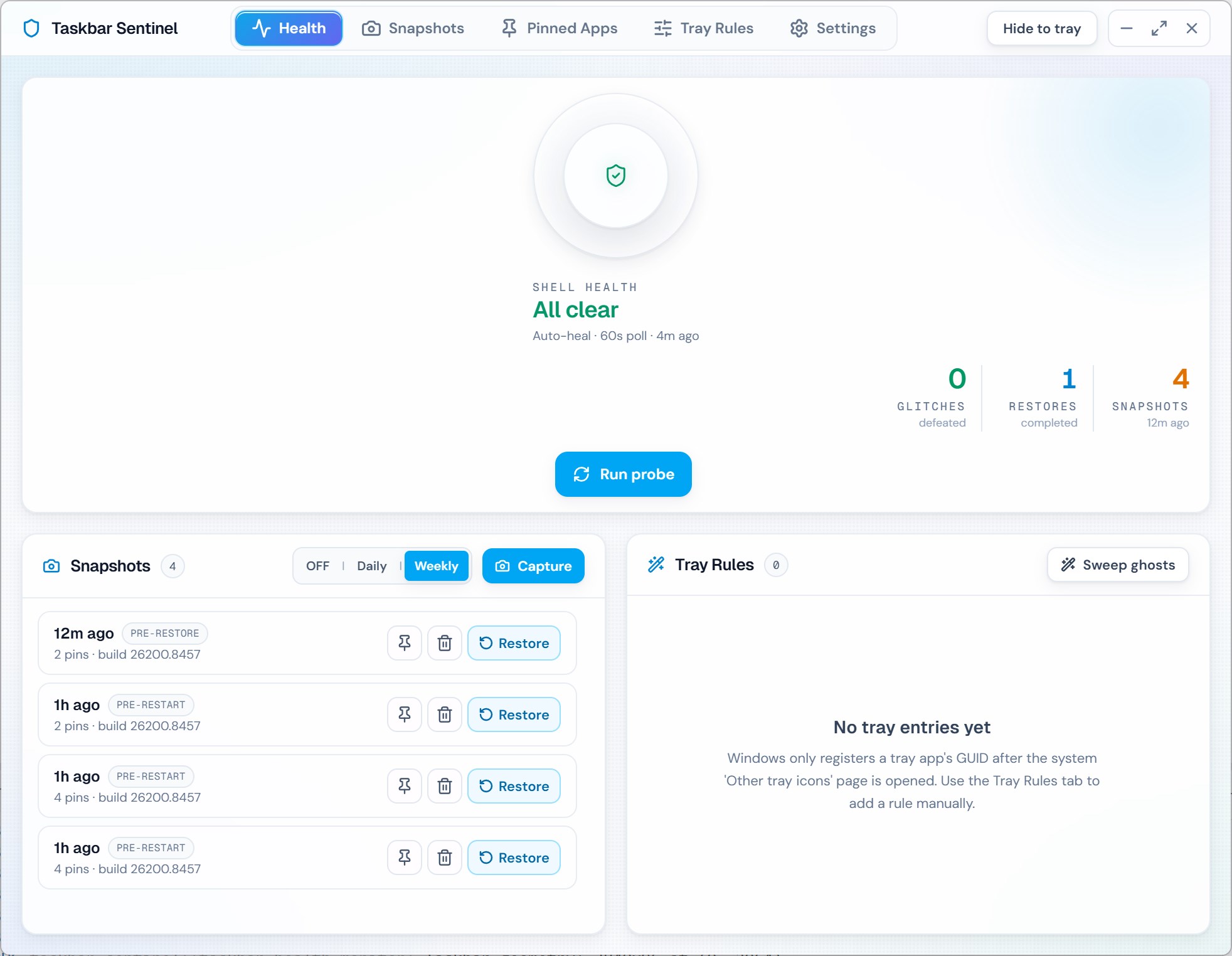
Taskbar Sentinel v3 snapshots your pinned apps and taskbar layout automatically—before updates, before Explorer restarts, on a schedule—and restores the whole layout in one click, with auto-rollback if anything goes wrong. It adds per-app system tray rules and a self-healing engine for the classic taskbar glitches.

Three problems, one app. Built on Tauri 2 + Rust at about a twelve-megabyte install and under 35 MB idle RAM. 100% offline, no telemetry, no accounts. Pay once, own forever—every operation is reversible by design.

$4.99 USD — Perpetual License

One-time purchase · No subscription · Instant install via the Microsoft Store

Buy through the Microsoft Store—instant install, automatic updates, and a Microsoft receipt for easy expensing. No account needed on our site, and no subscription.

See capabilities

$4.99 USD · perpetual license · pay once, own forever

The broken workflow

A Windows update wipes your pins—and you rebuild the layout by hand. Again.

Feature updates and Explorer restarts quietly drop pinned apps, scramble tray icons, and leave auto-hide stuck. The usual “fixes” are folklore forum threads and one-click optimizers that ship telemetry with icon-shaped logos. None of them back up the layout you actually had.

The Taskbar Sentinel workflow

Snapshot first, restore in one click, repair when needed.

Sentinel captures your pinned apps and taskbar layout automatically—before updates, before Explorer restarts, on a daily or weekly schedule—so a wiped taskbar is one click away from restored. It also re-applies your per-app tray rules across feature updates and self-heals the classic glitches using documented Microsoft APIs, never registry hacks. If a restore goes wrong, it auto-rolls back to exactly where you started.
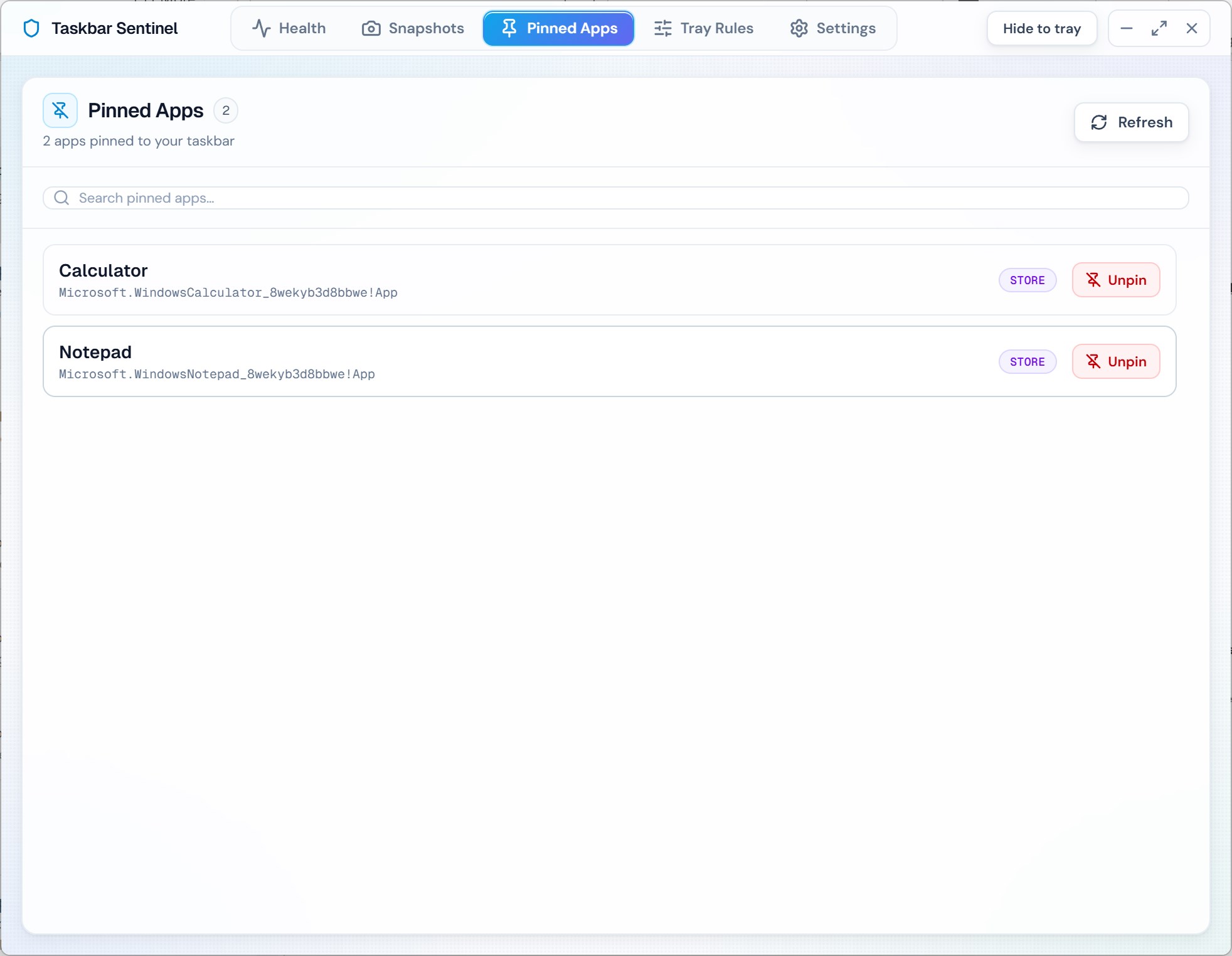
See it in action

Snapshots, tray rules, and self-healing—in one tray-first app.

Taskbar Sentinel health dashboard showing protected taskbar layout and saved snapshots.
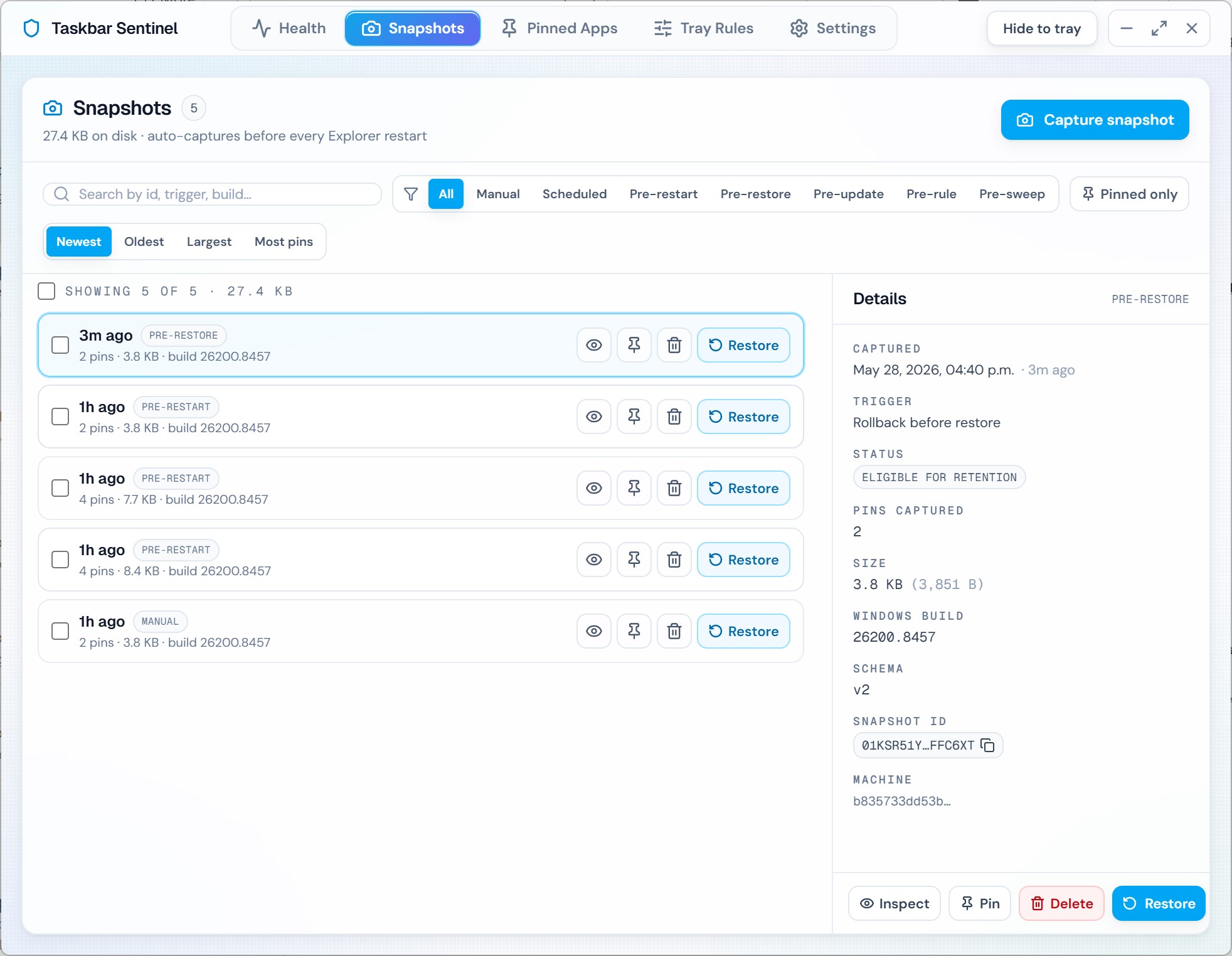
Taskbar Sentinel snapshots list with one-click restore of a pre-update pinned-app layout.
Taskbar Sentinel restoring pinned apps to the taskbar after a Windows update.
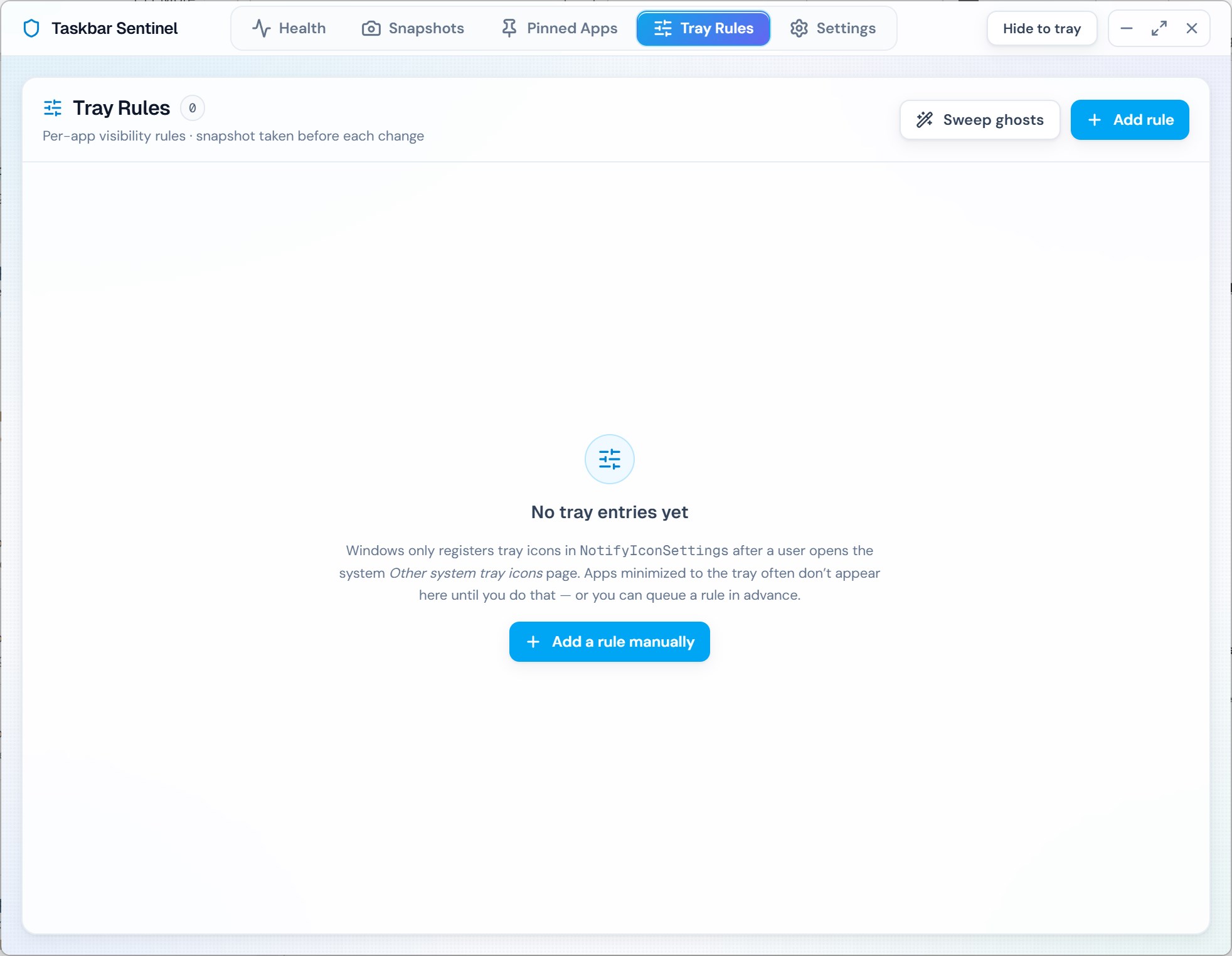
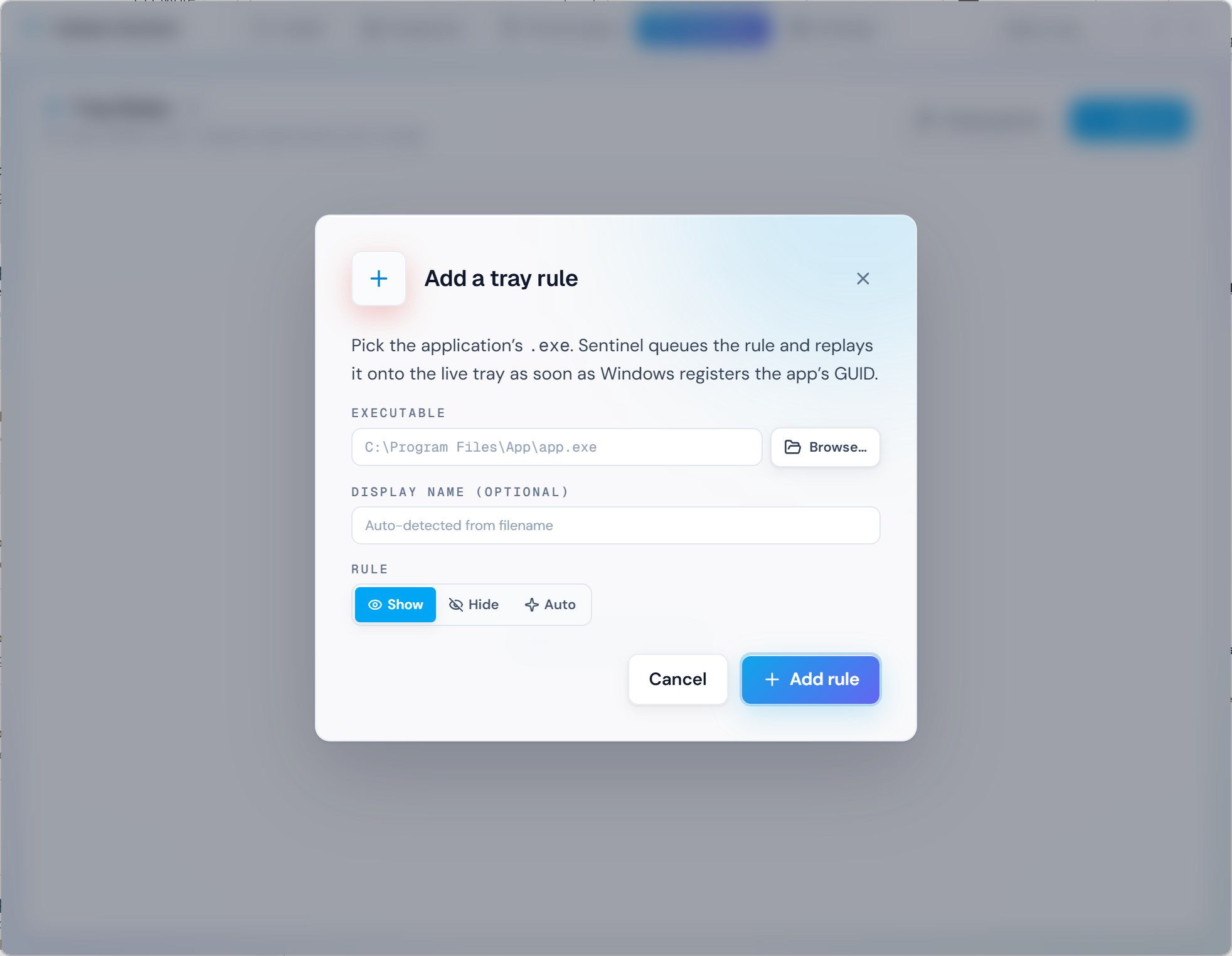
Taskbar Sentinel per-app system tray rules set to Always show, Hide, or Default.
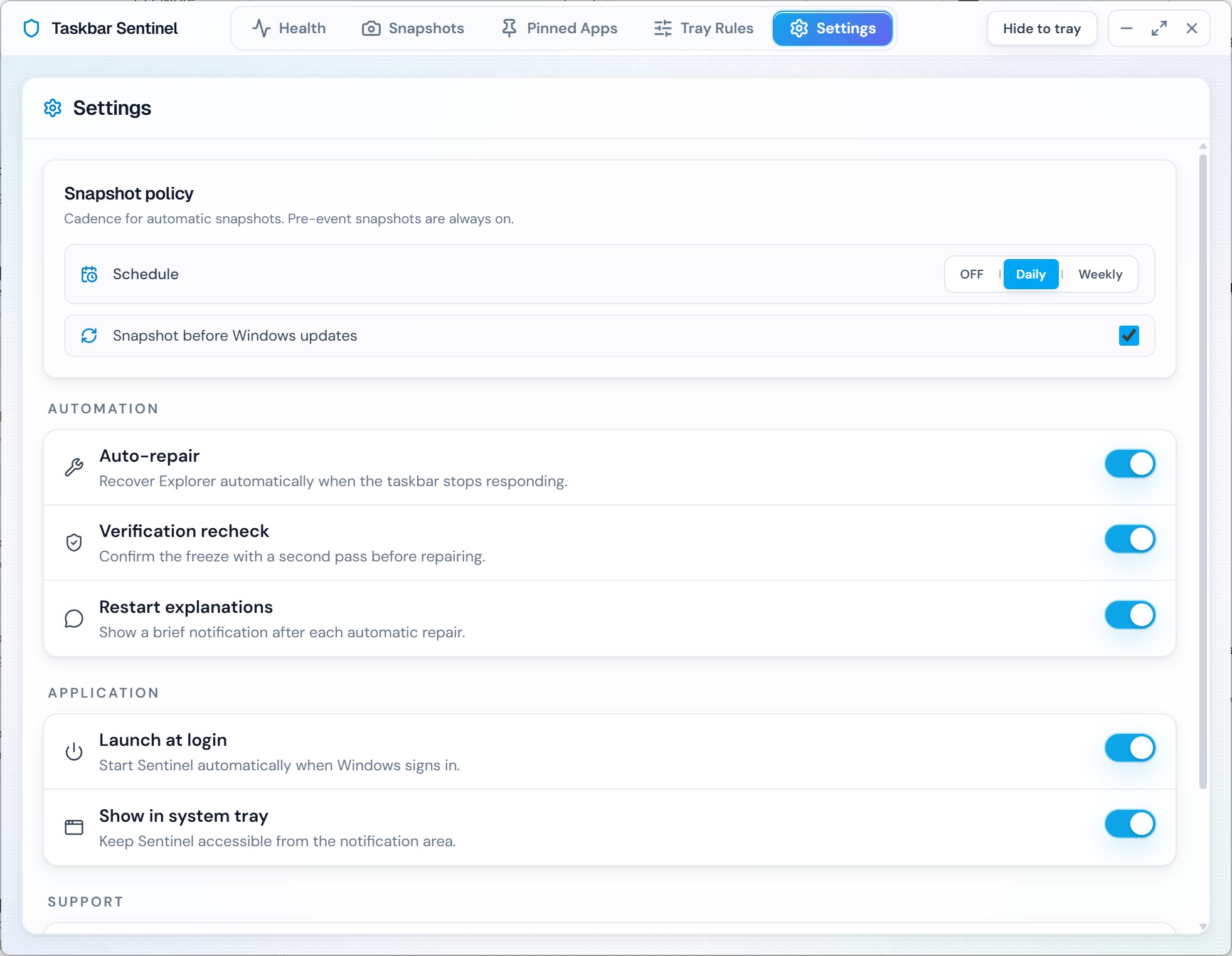
Taskbar Sentinel settings showing snapshot schedule, pre-update snapshots, and auto-heal options.
Taskbar Sentinel self-healing engine verifying and repairing the Windows taskbar.

Three problems. One app.

Back it up, rule the tray, and heal the glitches.

Pinned app backup & one-click restore

Sentinel captures your pinned apps and taskbar layout automatically across eight trigger types—manual, scheduled (daily/weekly), pre-update, pre-restart, pre-restore, pre-tray-rule, pre-sweep, and imported. Restore an entire layout in one click, and if the restore goes wrong it auto-rolls back to where you started. Snapshots are atomic, journaled, and schema-versioned—never partially written.

Per-app system tray rules

Set Always show, Hide, or Default for each tray icon. Rules persist across Windows feature updates because Sentinel re-applies them. Sweep ghost icons left behind after uninstalls—with a 60-second undo if you change your mind.

Self-healing engine

Detects the classic taskbar glitches—missing icons, stuck auto-hide, multi-monitor tray duplication—and refreshes Explorer using stable, documented Microsoft APIs. A built-in 5-second verification step prevents false positives so it only acts when something is actually wrong.

Reversible by design

No registry hacks, no PowerShell, no scripts. Every operation can be undone, snapshots are tagged with a hashed machine ID, and cross-machine restore warns you before it touches anything. Sentinel runs as a standard user—no UAC prompts, no elevation required.

Design posture

~12 MB class footprint · tray-driven · offline-capable

Documented mechanisms—not undocumented hive edits dressed as magic.

Snapshots, tray rules, and self-healing all run on Microsoft-facing, documented approaches suitable for professional desktops. Snapshot writes are atomic and journaled, and every operation is reversible—so you can recover a layout without decrypting forum folklore or trusting a black-box optimizer.

  • 100% offline · no telemetry · no accounts · no phone-home
  • Atomic, journaled snapshots—never partially written
  • Auto-rollback on restore; 60-second undo on the ghost icon sweep

Who this is for

Anyone who has lost their pinned apps to a Windows update, wished they could hide a tray icon for one specific app, or restarted Explorer twice in one week. Operators and help desks who want a layout they can restore in one click instead of rebuilding it by hand.

Buy direct on automatalabs.ca—one-time purchase, lifetime updates, and Automata Labs’ offline-first desktop ethos after checkout.

Automata Labs pricing philosophy

Utility software should be owned—not rented with telemetry interest.

Taskbar Sentinel follows the same ownership model as StayGreen and Port Detective: $4.99 USD —one binary, perpetual license after purchase, no SaaS wrapper taxing shell fixes.

No subscription gatekeeping tray sanity across quarterly OS churn
Keep repair workflows offline once owned—no cloud dependency for core functionality
Small-dollar Store purchase aligned with narrow-scope desktop tooling ethics

Where it fits

  • Restoring your pinned apps and taskbar layout in one click after a Windows feature update wipes them
  • Snapshotting your layout automatically before updates, Explorer restarts, and risky shell changes
  • Hiding or pinning specific system tray icons per app and keeping those rules through Windows updates
  • Repairing missing icons, stuck auto-hide, and multi-monitor tray duplication without restarting your PC

Technical specifications

Technical specifications for procurement

Spec Implementation
Data Sovereignty Snapshots, tray rules, and repair actions run locally; no remote diagnostics upload
Telemetry Status None; 100% offline after install, no accounts, no phone-home
Core Runtime Tauri 2 + Rust using documented Microsoft shell and tray APIs
Network Requirements Fully functional offline
Deployment Compatibility Windows 11 native (24H2, 25H2, 26H1); compatible with Windows 10 22H2. Builds for x64 and ARM64
Snapshot format Atomic, journaled, schema-versioned; eight trigger types covering risky shell operations
Restore safety One-click restore with auto-rollback; cross-machine restore warns before touching anything
Footprint About 12 MB installed; under 35 MB idle RAM; less than 0.1% CPU at idle
Privileges Runs as a standard user—no UAC prompts, no elevation required

Get your taskbar back—in one click.

Taskbar Sentinel backs up your pinned apps and layout, restores them after any Windows update, keeps your tray rules in place, and self-heals the classic glitches—tray-operated, 100% offline, no telemetry. Pay once, own forever.

$4.99 USD — Perpetual License

One-time purchase · No subscription · Instant install via the Microsoft Store

Buy through the Microsoft Store—instant install, automatic updates, and a Microsoft receipt for easy expensing. No account needed on our site, and no subscription.

Review capabilities