Taskbar Sentinel: back up your pinned apps & restore your taskbar in one click — on the Microsoft Store.
Available on Windows Free + Pro editions

Find what owns the port. With Pro, keep it yours.

Port Detective is a native-Rust Windows app that turns `EADDRINUSE: address already in use` into a one-click fix. The free edition shows what is listening, who owns it, and includes 5 free kills to try safe termination. Port Detective Pro unlocks unlimited kills plus the active layer: a background Port Guard watchdog, remote and Docker-aware scans, deep process inspection, and exportable connection history — one purchase, fully unlocked, no subscription.

Recommended Pro

$14.99 USD

One-time purchase · Perpetual license · No subscription

Get it from Microsoft

Everything in Free, plus Port Guard, remote & Docker scans, process inspection, history export, and the Ctrl+K palette.

Free Core viewer

Free

No account · No telemetry · Microsoft Store

Get the free edition

Live port viewer, instant lookup, and 5 free kills to try safe termination — the daily EADDRINUSE finder.

native Rust · under 50 MB RAM · no telemetry

See it in action

Port Detective Pro on Windows.

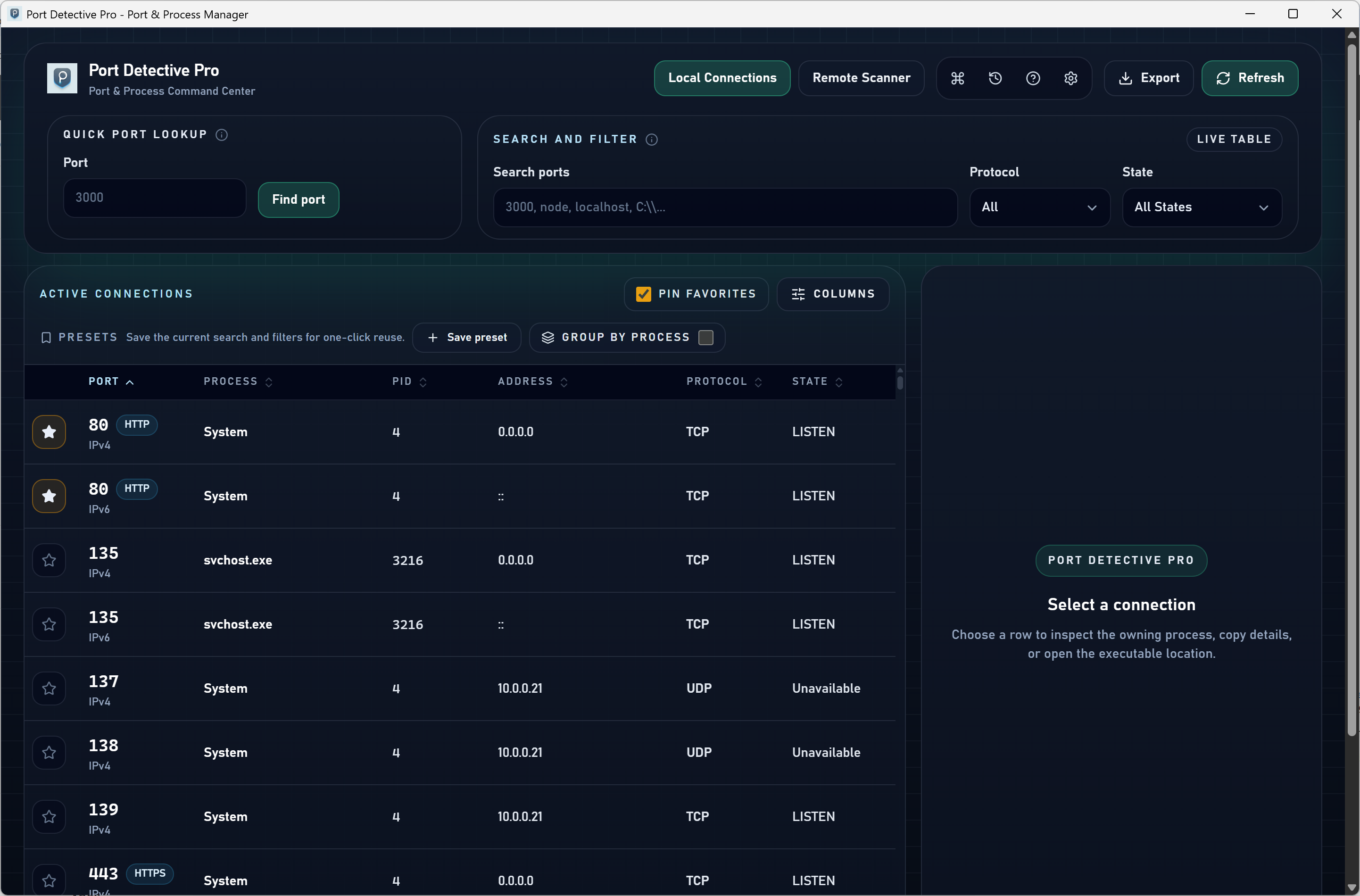
Port Detective Pro main window listing live TCP and UDP connections with owning processes
Every port, the process behind it, and a kill button — one window.
Port Detective Pro quick lookup resolving a port number to its owning process
Type a port. Get the process instantly.
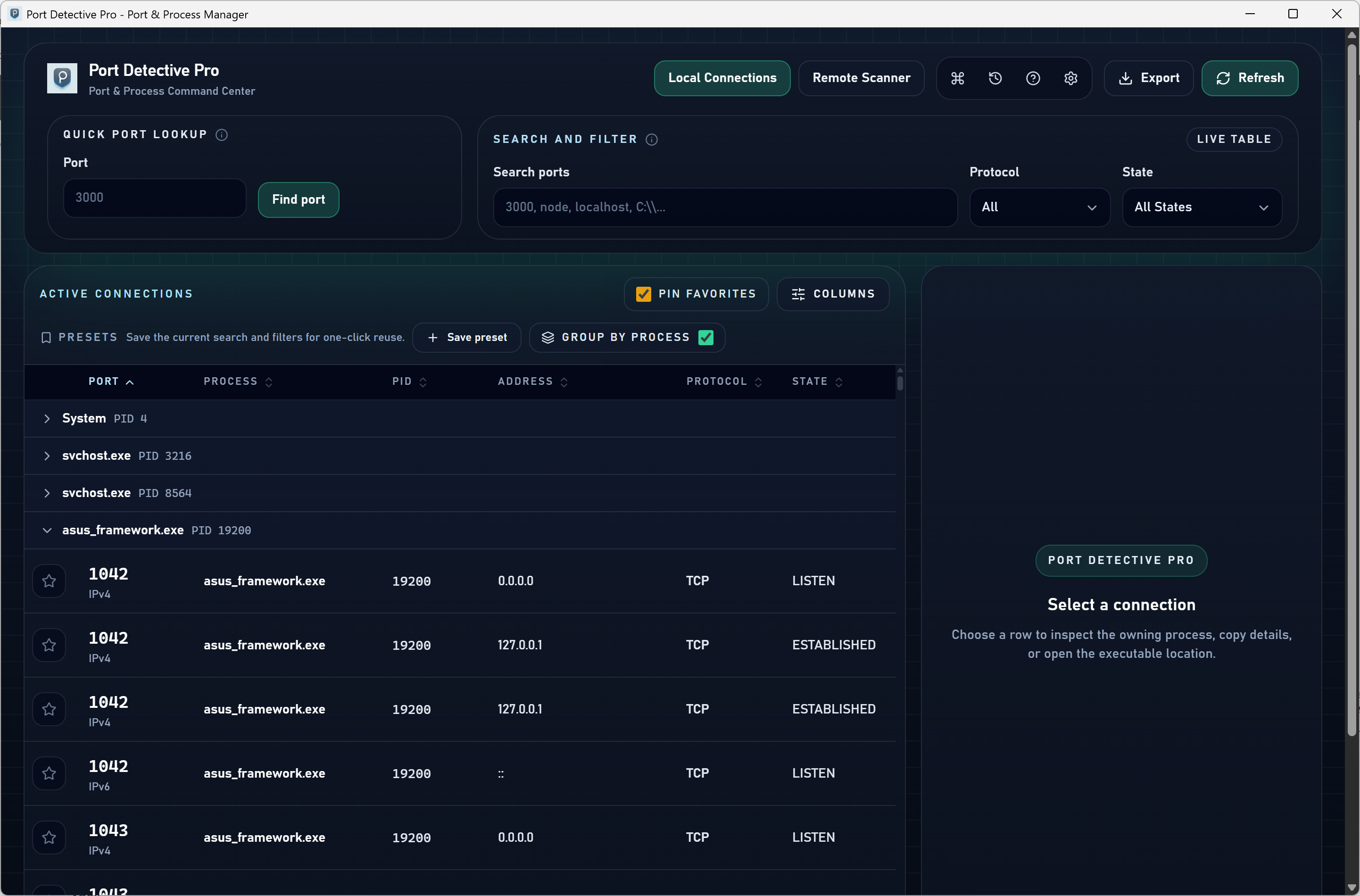
Port Detective Pro connections grouped by process
Group by process and pin your favorite dev ports.
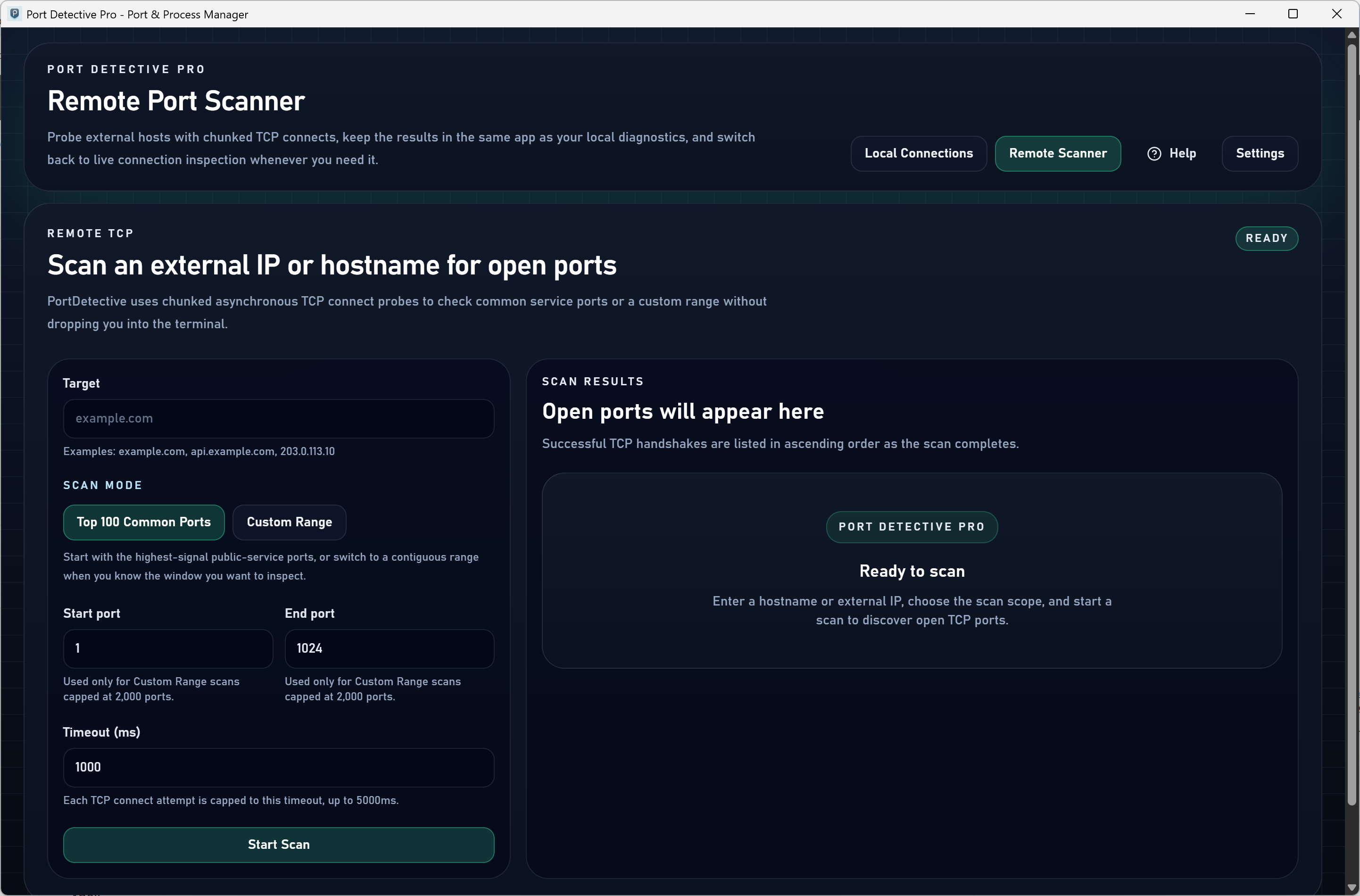
Port Detective Pro scanning remote hosts and Docker bridges
Scan remote VMs, servers, and Docker bridges.
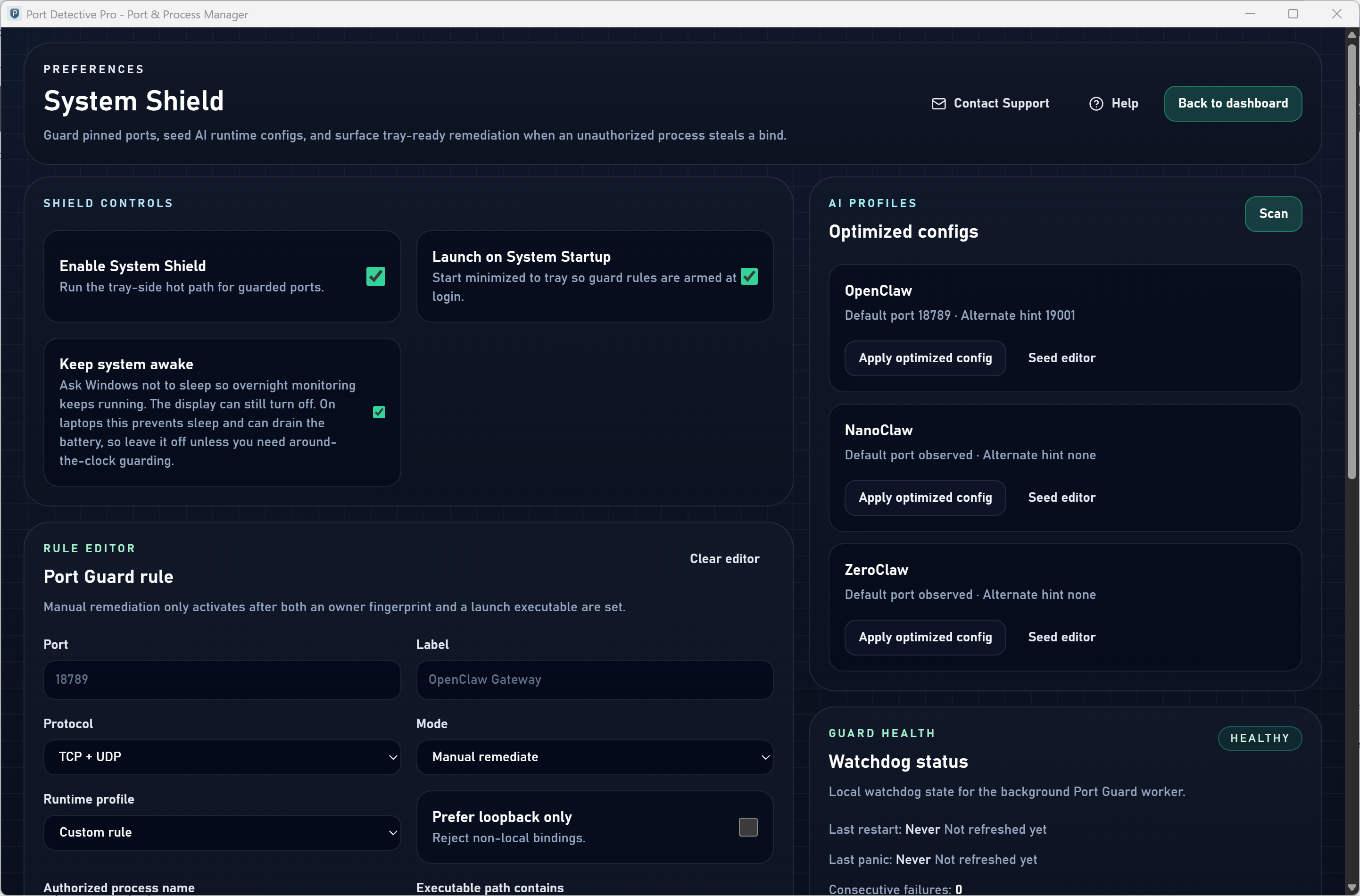
Port Detective Pro settings including Port Guard watchdog rules
Port Guard watches your ports and restores the right owner.
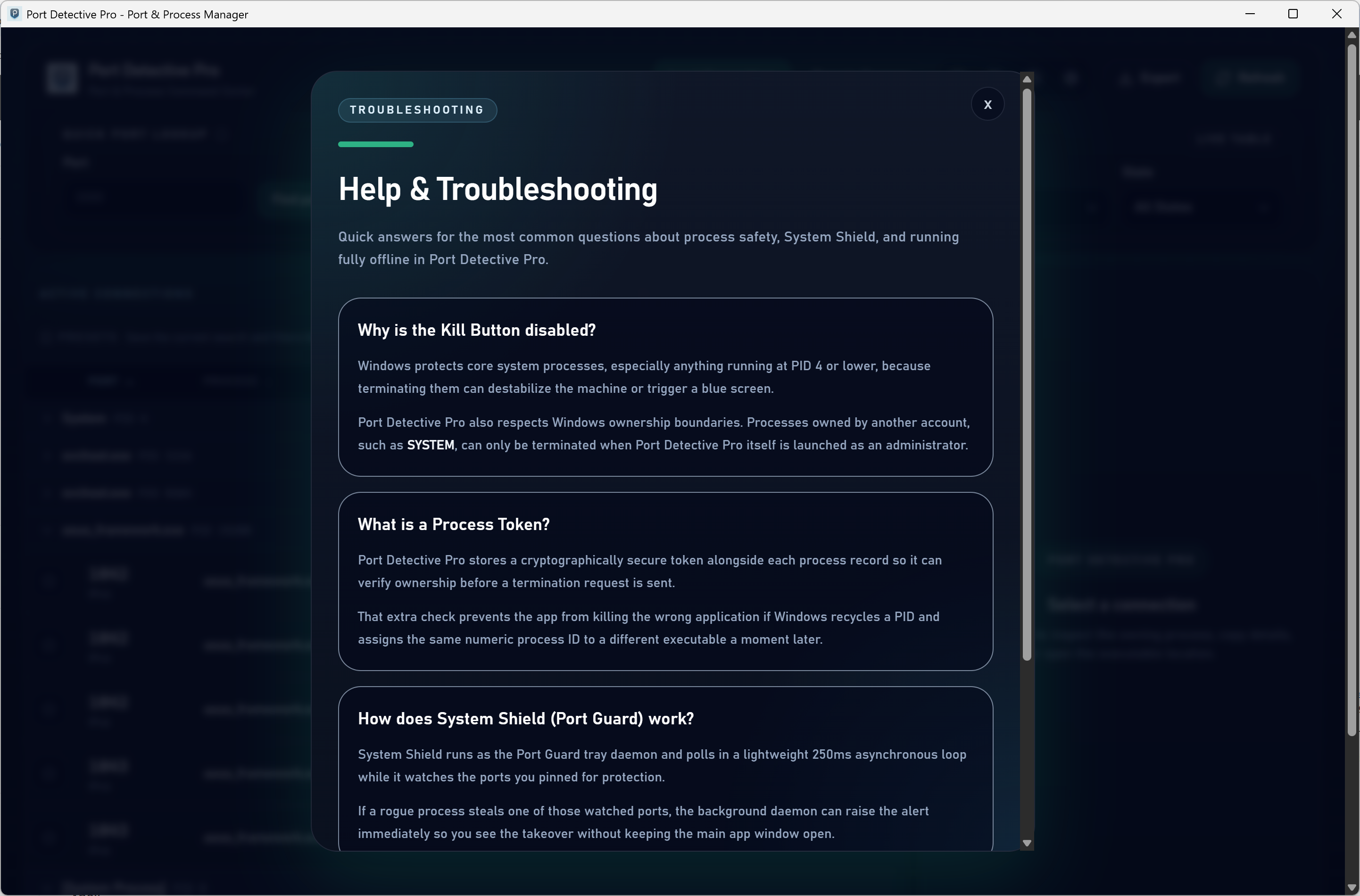
Port Detective Pro in-app help and reference screen
Built-in help and reference, right inside the app.

The old workflow

Raw CLI output and heavy system monitors slow down a simple answer.

`netstat` plus `tasklist` works, but it turns every blocked port into a text-parsing exercise. Task Manager does not give you a socket-level answer, and Resource Monitor makes you navigate through a broader system dashboard when you only need one diagnostic question answered.

The Port Detective workflow

Open the app, filter the port, and move directly to the next decision.

Port Detective is built around the narrow workflow developers actually repeat: identify what is listening, understand the process context quickly, and keep troubleshooting focused on the real conflict instead of the operating-system plumbing around it.

Core Capabilities

Built for repeated port checks, not generic workstation monitoring.

Free

live listening-port visibility with process name, PID, and executable path, instant port lookup, and 5 free kills to try safe token-guarded termination.

Pro — Unlimited safe kills

end any rogue process in one click, guarded by a secure Process Token so you never terminate a recycled PID.

Pro — Port Guard

a native system-tray daemon watches your critical ports every 250 ms and can auto-kill an intruder and relaunch the right owner.

Pro — Full stack visibility

every TCP and UDP connection across IPv4 and IPv6, smooth even with thousands of connections.

Pro — Remote & Docker aware

scan VMs, Docker bridges, and network servers, and map host ports back to the container and image that published them.

Pro — Power workflow

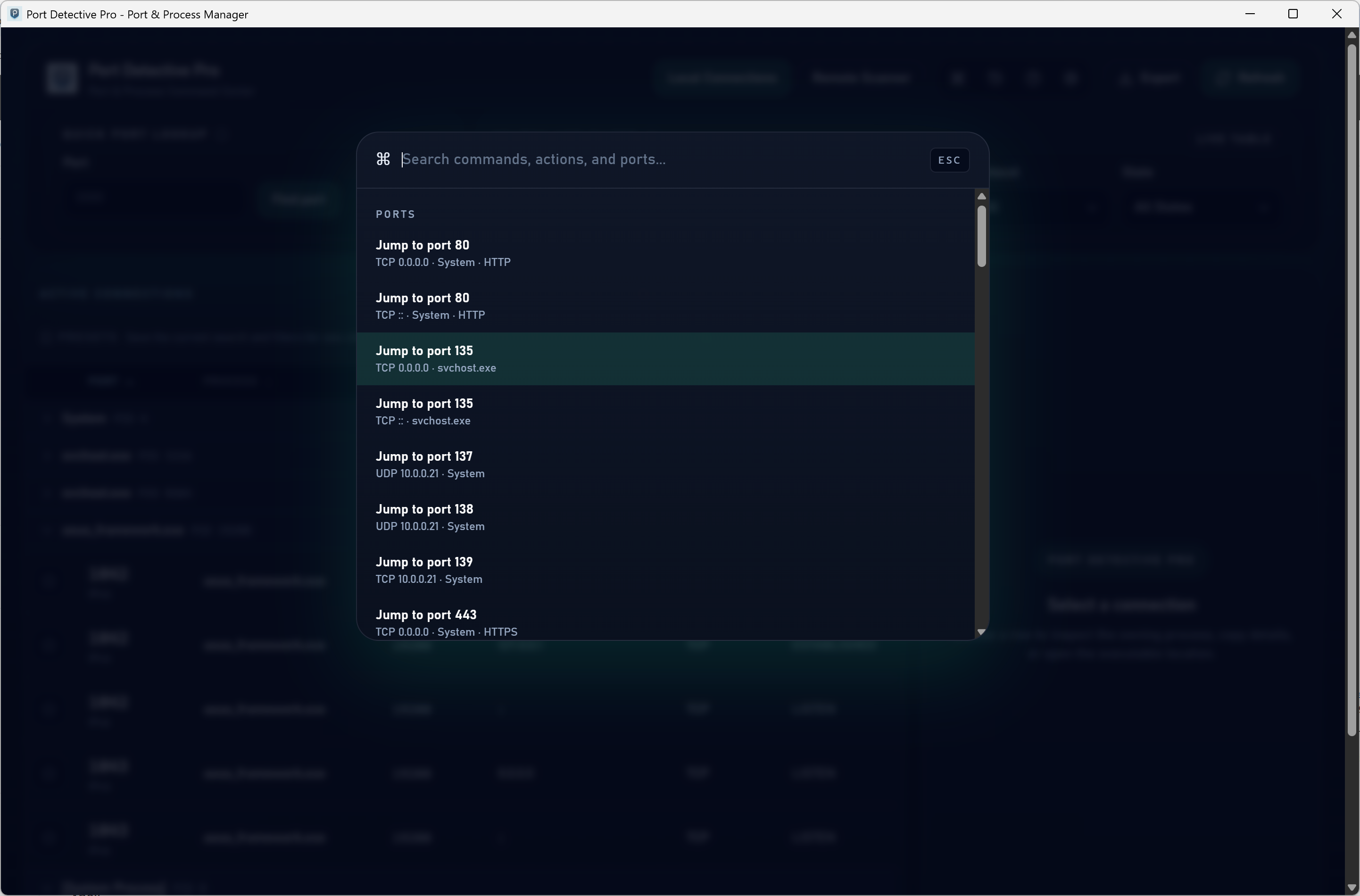
Ctrl+K command palette, deep parent/child process inspection, connection-history timeline with CSV/JSON export, and per-port notes with backup/restore.

Both editions

native Rust, typically under 50 MB RAM, signed, no telemetry, no account wall — one-time Pro purchase on the Microsoft Store, no subscription.

Use This When

  • Find what process is using a port on Windows before you kill the wrong service
  • Resolve EADDRINUSE and listening-port conflicts without juggling netstat, tasklist, Task Manager, and Resource Monitor
  • Keep critical local ports protected from rogue processes with an always-on watchdog (Pro)
  • Map Docker host ports to containers and scan remote hosts during developer and IT troubleshooting (Pro)

Free vs Pro comparison

Free vs Pro

Start free. Upgrade when you want the active layer.

Both editions are native Rust, signed, and telemetry-free. Pick the free finder or unlock the full toolkit with a one-time Pro purchase.

Free

Port Detective

Free

No account · No telemetry · Microsoft Store

Get the free edition

The everyday port finder: see what is listening, who owns it, and 5 kills to try safe termination.

CapabilityFree Pro
Live listening-port viewer with process name, PID & pathIncluded in FreeIncluded in Pro
Instant port lookup (type a port, get the process)Included in FreeIncluded in Pro
Safe, Process-Token-guarded kills5 free killsUnlimited
TCP + UDP across IPv4 and IPv6Not in FreeIncluded in Pro
Port Guard watchdog (250 ms) with auto-remediationNot in FreeIncluded in Pro
Remote scans of VMs, Docker bridges & serversNot in FreeIncluded in Pro
Docker host-to-container port mappingNot in FreeIncluded in Pro
Deep parent/child process inspectionNot in FreeIncluded in Pro
Connection-history timeline with CSV / JSON exportNot in FreeIncluded in Pro
Per-port notes with backup & restoreNot in FreeIncluded in Pro
Ctrl+K command palette & copy-as-commandNot in FreeIncluded in Pro

Technical specifications

Technical specifications for procurement

Spec Implementation
Data Sovereignty Port and process data stays on the workstation; core features make no external network calls and no cloud dashboard is involved
Telemetry Status None; signed builds, no telemetry
Core Runtime Native Windows app built entirely in Rust (Tauri 2); typically under 50 MB RAM
Network Requirements Local inspection is fully offline; remote scans and Docker mapping are user-initiated outbound actions, not telemetry
Deployment Compatibility Windows 10 and 11; free edition plus one-time Pro purchase on the Microsoft Store
Free edition Live listening-port viewer, instant lookup, token-guarded safe kills
Pro — Port Guard Tray daemon polls watched ports every 250 ms with optional auto-remediation
Pro — Coverage TCP + UDP across IPv4/IPv6, remote scans, Docker host-to-container mapping
Pro — Workflow Ctrl+K palette, process lineage, connection history + CSV/JSON export, per-port notes